Start with the files you already have.
There is no import step and no upload. Datera opens a CSV, a spreadsheet, a Parquet file or a SQLite/Postgres/MySQL database in place — and reads it without ever writing to it.
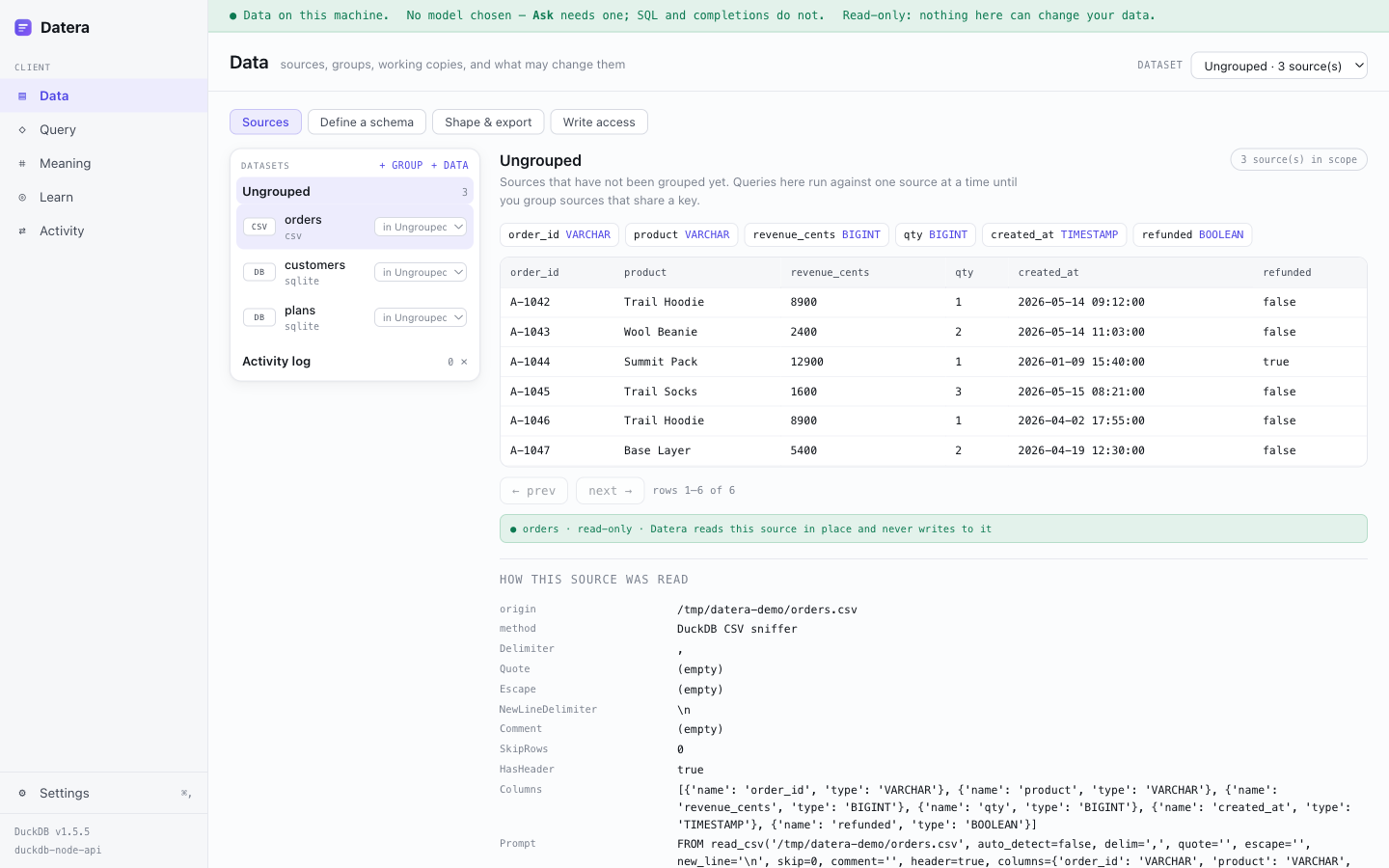
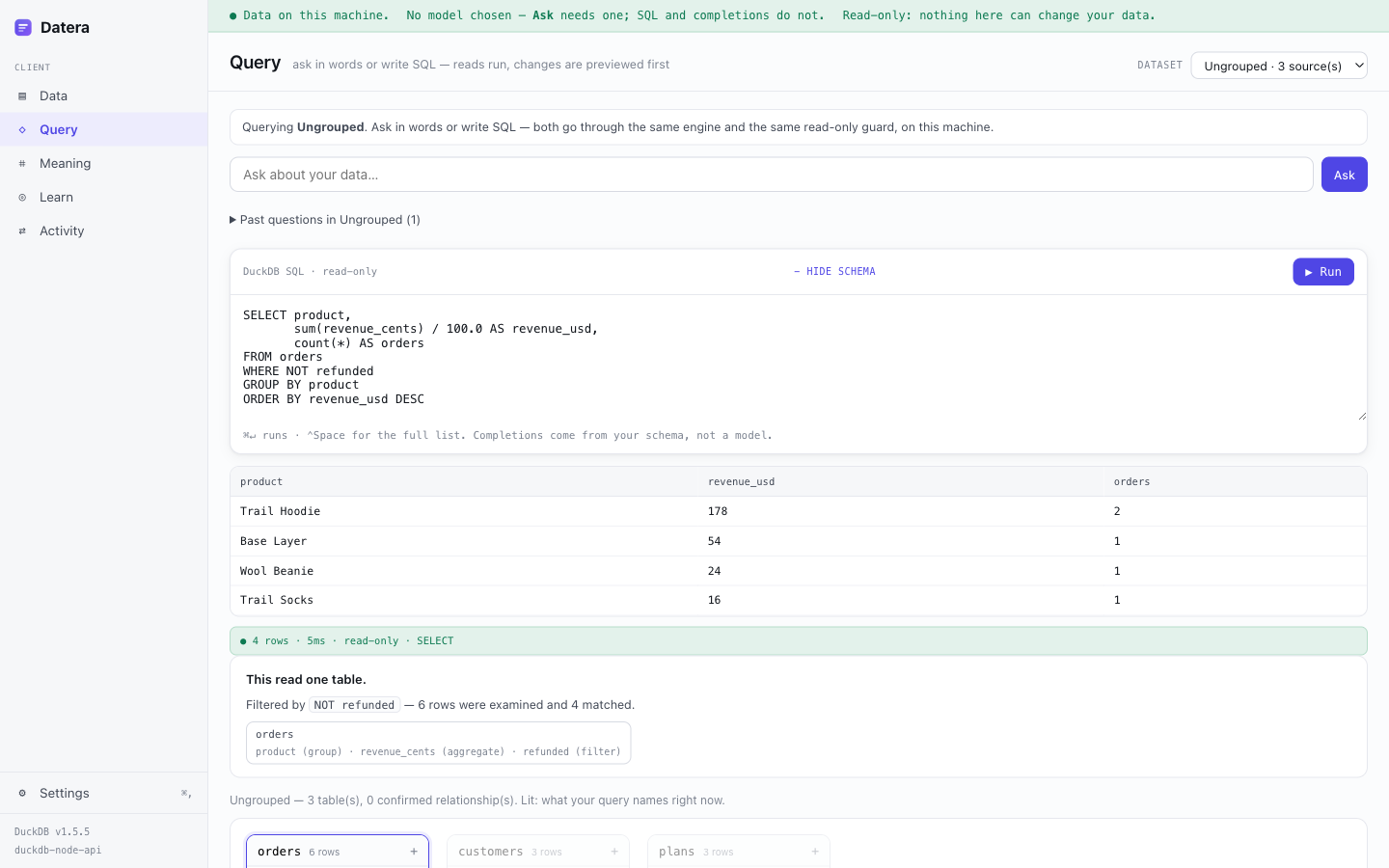
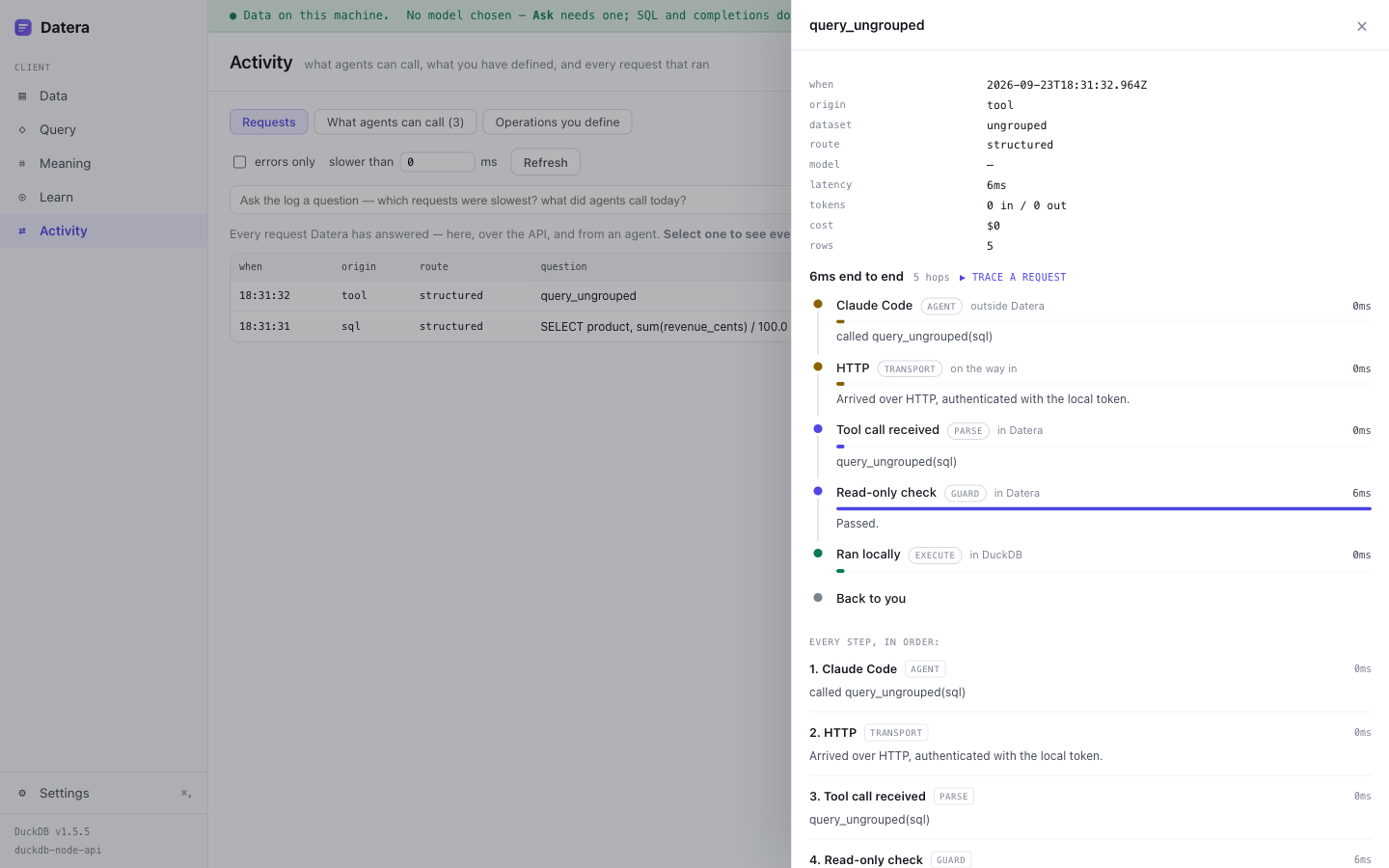
Point Datera at a spreadsheet or a database and ask it questions in plain English. It reads your file or connects to your database without copying or changing anything, shows you the SQL it wrote, and shows you every step it took to answer. Then it can serve that same data to an AI agent, or to your own app, from infrastructure you control.
That is a guarantee, not a slogan — it is written into the spec as a non-negotiable invariant and covered by a test. Your data, your schema, your dictionary, your dataset definitions, and any backend Datera generates all leave in open formats you own: Parquet, CSV, SQL, and runnable source. There is no export ransom, because there is nothing to ransom.
There is no import step and no upload. Datera opens a CSV, a spreadsheet, a Parquet file or a SQLite/Postgres/MySQL database in place — and reads it without ever writing to it.
You import your data, it becomes theirs, and the exit is a support ticket. Datera is built the other way round: the original file is never touched, and everything you make is portable by construction.
A source is something that fills a dataset, not something that defines one. So you can start from data you already have, or from a shape you have in mind — both produce the same live, queryable, transparent backend.
CSV, TSV, JSON, Parquet, Excel, SQLite, and live Postgres or MySQL. Datera reads them in place, infers the schema, and tells you when something looks wrong.
// read-only, in place, nothing copied
connect "orders.csv"
  → 6 columns · revenue_cents BIGINT
  → ⚠ amount is VARCHAR: 8 of 10 values parse
    as a number, 2 do not ("N/A", "unknown")
No data yet? Describe the model — type it, write SQL DDL, paste JSON, or paste a schema an AI drafted for you. You get the same dataset, dictionary and relationships.
// paste a schema, get a live backend
table customers (
  id UUID PRIMARY KEY,
  email VARCHAR NOT NULL
)
table orders (customer_id → customers.id)
Every other tool hands you an answer and asks you to trust it. Datera shows its work — which is what makes it worth trusting, and what makes it teach.
Natural language becomes visible, cited SQL you can read and edit — or write the SQL yourself. Same engine either way.
Open the glass box on any answer: the parse, the schema, the generated SQL, what was sent to the model, the rows it touched, the cost.
Your data never leaves the machine. Bring your own AI key, or use the bundled local model with no key at all.
Group files that share keys so they join; keep unrelated data separate. Datera detects relationships and you confirm them.
A living dictionary of column meanings, units and synonyms — so “sales” maps to the right column and answers get sharply better.
Expose your data to Claude Code, Cursor, or any agent over MCP — with the same read-only guarantee and a full request trace.
Most tools make this decision for you and bill you for it. Datera treats the model as a setting — and tells you, on every answer, exactly which one ran and what it cost.
Datera ships with an open-weights model — Qwen2.5-Coder, Apache-2.0 — and picks the size that suits your computer. No key, no account, no network. Downloaded once on first run, then it works with the network off entirely.
Already have Ollama or LM Studio? Datera finds it and uses it. Any OpenAI-compatible endpoint works too, so a model on your own server is a URL, not a feature request.
Prefer a frontier model? Bring your key for Anthropic or OpenAI. It is your key and your account — Datera never proxies your requests, and there is no Datera bill because there is no Datera in the middle.
This is a deliberate split, not an oversight. Choosing “the model” once is how a product ends up quietly sending every text column in your data to a remote embedder. So chat and embeddings are two settings, and the embedding one stays on your machine even when you point chat at a frontier model. Whatever runs, the trace names it exactly — provider, model, local or remote, tokens and cost. Local models cost $0, and the trace says so.
Datera proposes the model; you confirm it. The most useful thing a data tool can do, and the best way to learn how data is actually structured.
A messy export with customers, products and orders tangled into one sheet.
Datera spots the repetition and proposes splitting it into real tables with keys.
You edit the proposal, define what columns mean, fill in the enums that should exist.
The original is never touched — you work on a copy, version it, and export the result.
When you are ready to let other people reach your data, Datera Server runs the same engine headless — on a container, a VM, or your cloud account. You push to infrastructure you control.
Datera is not a hosted multi-tenant application platform. We do not host your production app, own your users or your auth, or become the runtime your business depends on — because that is exactly the dependency this whole product exists to avoid. Datera is the workshop and the ship button. The tenancy is yours.
Datera runs entirely on your machine, free and open source under Apache-2.0. When you need to share your data’s API and MCP with others, Datera Server deploys the same engine to infrastructure you own.
Datera makes the invisible parts of working with data visible — which is exactly what a database or data-management course needs. Students don’t just get answers; they watch how data is queried, modelled, transformed and served.
Natural language becomes a query they can read — learning by watching.
Datera shows which path an answer took, and why a CSV isn’t a vector.
Follow a field from table to DTO to screen — and the new NL/MCP lanes.
Copy-on-write and a confirm gate mean students can experiment without fear.
Datera’s client is open source under Apache-2.0, and it’s being built in public — the decisions, the architecture, the trade-offs, and the things that turned out to be harder than they looked. The commit history is the build log: it records what broke and why, not just what shipped. The Server is the one part that stays closed, so the project can sustain itself.
Read the commit history